
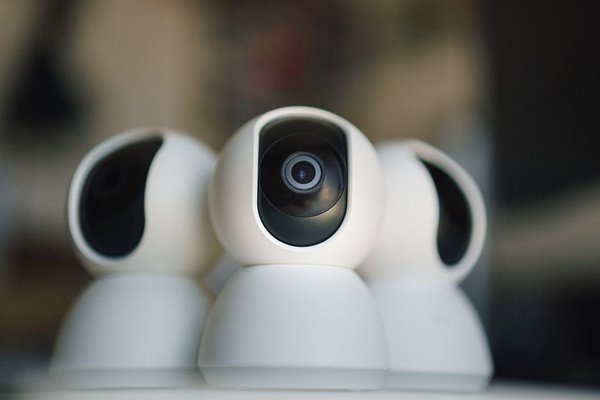
A smart baby monitor can make night-time checks easier, especially when you want alerts, remote viewing or recorded clips without repeatedly entering the nursery. The same features that make a Wi-Fi-connected monitor convenient also create privacy questions that a basic audio-only unit may not. A connected camera can depend on an app, an online account, cloud services and your home network to work.
That does not mean parents should avoid smart monitors. It means buying and setup deserve the same care you would give a phone, router or home security camera. Smart baby monitor privacy safety starts with understanding where data goes, who can access it and how long the device will receive security updates.
Why smart monitors create extra privacy risks
Most smart monitor privacy risks come from connectivity rather than the camera itself. A Wi-Fi baby monitor may send video, audio, alerts or device information between the monitor, your router, the manufacturer’s services and your phone. Depending on the product, recordings may be stored locally or in the cloud.
This creates several possible weak points. A poorly protected account can be taken over, outdated software can contain unpatched vulnerabilities, and an insecure router can expose connected devices. Broad app permissions or unclear cloud-retention settings may also result in more personal information being collected or stored than a family expects.
Baby monitor hacking stories can sound alarming, but the useful response is practical rather than panicked. The UK National Cyber Security Centre recommends strong passwords, software updates and disabling remote access when it is not needed. These steps make unauthorised access much harder.
Check security before you buy
A secure baby monitor should be judged partly by the company supporting it, not only by image quality, night vision or app features. Check whether the manufacturer publishes a security-support period, explains how vulnerabilities can be reported and provides current firmware updates.
For UK buyers, consumer connectable product security rules have applied since 29 April 2024. In-scope smart products must meet baseline requirements including protection against universal or easily guessable default passwords, a published route for reporting security issues and information about the minimum security-update period.
Read the privacy notice too. Look for clear answers: Is video stored in the cloud? How long are clips kept? Can recordings be deleted? Can remote viewing be switched off? Does the account support two-step verification? Straightforward answers make it easier to compare products on privacy as well as features.
Secure the monitor during setup
Use a unique password and two-step verification
Do not reuse a password from email, shopping or social media accounts. Create a strong, unique password for the baby-monitor account and enable two-step verification or multi-factor authentication whenever it is available. This adds another barrier even if a password is exposed elsewhere.
Update the monitor, app and router
Wi-Fi baby monitor security depends on more than the nursery unit. Keep the monitor firmware, its mobile app and your home router updated. Turn on automatic updates where possible. If the manufacturer stops supporting the monitor, treat that as a security concern rather than merely the end of new features.
Review remote access and sharing
If your family only watches the feed while connected to home Wi-Fi, check whether remote viewing can be disabled. Also remove old shared users, including previous carers, relatives or devices that no longer need access.
A five-minute privacy check after installation
Imagine both parents have just connected their phones to a new smart monitor. Before considering setup finished, open the account and device settings together. Confirm who has authorised access, turn on two-step verification, enable automatic updates, check whether cloud recording is active and decide whether you actually want it.
Then check the router. Make sure it has a strong admin password and current firmware. If your router supports a separate guest or IoT network, placing smart-home devices there can help separate them from laptops and other devices holding sensitive information. Avoid enabling port forwarding unless you understand why the monitor requires it.
Finally, review the camera position. Cybersecurity is only one part of privacy. A monitor aimed only at the cot or sleep area may capture less private household activity than a wide view of the whole room. Disable unused features and unnecessary smart-home integrations.
Think beyond the live camera feed
Parents often focus on someone watching live video, but a monitor may collect other information too. Depending on the model, that can include account details, device identifiers, usage data, motion events, sleep-related information or recordings. The UK Information Commissioner’s Office includes smart baby monitors within consumer Internet of Things guidance and stresses responsible handling of personal information.
Use data minimisation at home as well. Review app permissions, delete old recordings you no longer need and learn how to erase data before selling or donating the device. Useful related reading on your site could include choosing a baby monitor, safer smart nursery setup and baby tech privacy.
When to review your monitor immediately
Check the setup if you see an unfamiliar login alert, unexpected changes to settings, a new shared user or unusual account emails. If you suspect unauthorised access, change the password, sign out other sessions if possible, update the device and app, and follow the manufacturer’s reset instructions. Review the router and other connected devices too.
Frequently asked questions
Can a Wi-Fi baby monitor be hacked?
Any internet-connected device can have security weaknesses, so unauthorised access is possible. Risk is lower when you use a unique password, enable two-step verification, keep software updated and remove remote-access features you do not need.
Is a non-Wi-Fi baby monitor more private?
A monitor that does not connect to the internet has a smaller online attack surface because it does not rely on cloud accounts or remote internet access. Families who do not need remote viewing may prefer that simpler privacy model.
Should I put my baby monitor on a guest Wi-Fi network?
If your router supports device separation, a guest or dedicated IoT network can help isolate smart devices from personal computers and other equipment. Check your router documentation because guest-network behaviour differs between models.
What should I do before getting rid of a smart monitor?
Delete recordings you no longer need, unlink shared users, perform a factory reset using the manufacturer’s instructions and remove the device from your online account where possible.
Keep convenience without giving up control
A smart monitor does not have to become a weak point in your home. Use only the connectivity you need, protect the account properly and keep the system updated. Before buying, check support periods and privacy controls; after setup, review permissions, cloud storage, shared access and remote viewing instead of leaving default choices untouched.
Those small decisions turn smart baby monitor privacy safety from an abstract worry into a manageable household routine. Convenience and security can coexist when parents remain in control of who can see the feed, what data is stored and how the monitor connects to the rest of the home.